
A rep pushes a 15% discount to get a deal over the line. The workflow that generates the contract doesn't care - it fires anyway. Nobody asked the sales manager.
HubSpot has native approvals for quotes and marketing content, but there is no approval step you can drop into a workflow. Customers have asked for one for years: the Ideas board has threads on discount-based approval workflows and quote approvals by discount percentage, and the workarounds people share all look the same. A custom "Approval status" property. An internal email to the manager. A human who has to open HubSpot, find the record, and flip a dropdown by hand.
So we built the missing step. Send Approval (Slack, Email) is a 0CodeTools workflow action that pauses the workflow, sends the decision to a named person in Slack or by email, and resumes the moment they answer. The outcome comes back as workflow data, so you can branch on it.
It works in any HubSpot workflow, on any object type - contacts, deals, tickets, custom objects. Each request costs 1 credit, and the free plan includes 100 credits a month.
The discount approval workflow, end to end
Here is the exact workflow from our own portal. A deal moves to Quote Preparation, the sales manager gets a Slack DM, and the deal only moves forward once she taps Approve.
Click the Send Approval step to see the real configuration, and the Branch step to see the three paths.
Request approval via Slack
Check branches in order: = approved, = rejected, and Timed out.
Three things to notice.
The message is built from CRM data. Subject and message accept HubSpot personalization tokens, so the approver sees the deal name, the company, and the amount without opening anything. There's also a checkbox to append a summary card of the enrolled record.
The workflow branches on the decision. The action returns three output fields: approval_status (approved or rejected), approved_by, and approved_at. Branch on any of them, write them to properties, or both.
Timeouts are a path, not a mystery. The request stays open for 7 days - HubSpot's standard window for a paused workflow. If nobody decides, the record follows the Timed out branch, so you can alert an owner instead of losing the deal in limbo.
What the approver sees
In Slack, the approver gets a direct message with the subject, your message, a link to the record, and two buttons: Approve and Reject. One click and the workflow resumes. Here is the card - go ahead and click:
Once someone decides, the buttons disappear and the card updates to "✅ Approved by @maria" - so nobody decides twice, and everyone in the thread sees who made the call.
By email, the approver gets a message with a Review Request button that opens a secure page: your subject and message, an optional card for the enrolled record, and the same two options. Two clicks total - and no HubSpot seat, no account, no login.
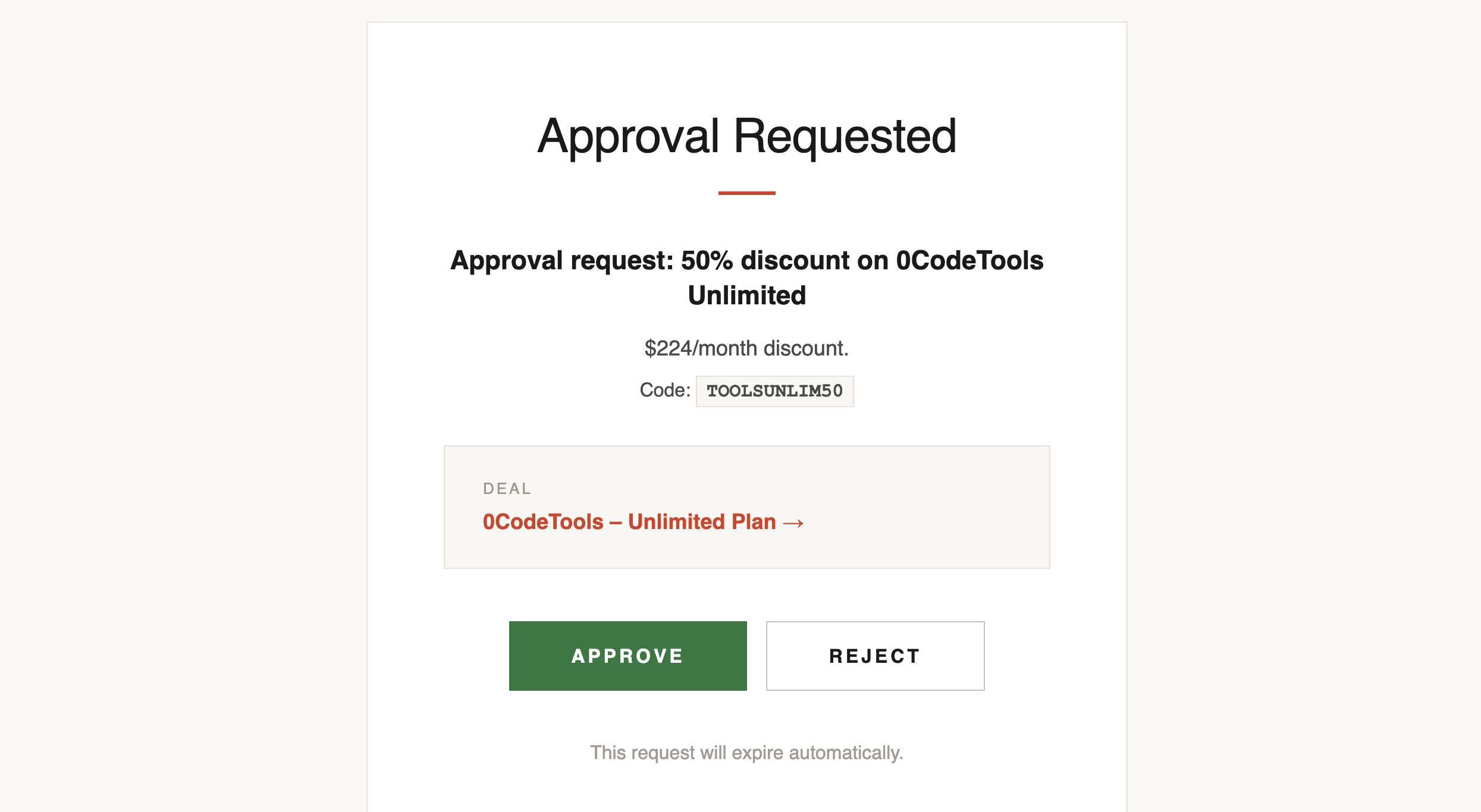
Every link is single-use and records exactly one decision. That matters more than it sounds: half the point of an approval step is asking people who don't live in HubSpot - a finance lead, a founder, an agency client.
Five approval workflows worth building
We went through HubSpot community threads and the approval processes Salesforce admins build most, and the same five patterns keep coming up.
1. Tiered discount approvals
The most-requested pattern in the community: different approvers for different discount levels. Under 10%, no approval. 10-20%, the sales director. Above 20%, the CRO.
Branch on the discount first, then send the approval to the right person. One approver per step - for two-level sign-off (director and CRO), chain two Send Approval steps back to back.
Check branches in order: Less than 10%, 10% - 20%, and More than 20%.
HubSpot's native quote approvals need Sales Hub Enterprise and only cover quotes. This runs on any Professional portal and gates whatever the workflow gates: the deal stage, the contract generation, the CPQ webhook.
2. Refunds and credits on tickets
Support wants to move fast on refunds; finance wants a record of who said yes. An approval step on the ticket pipeline gives you both.
This one uses the email channel, so the approver needs nothing but an inbox:
Request approval via Email
Check branches in order: = approved, = rejected, and Timed out.
3. Lifecycle and stage overrides
RevOps teams gate the moves that are painful to undo. A contact hits your enterprise-lead criteria and a workflow is about to push them into onboarding sequences: "Jane just hit our enterprise-lead criteria. OK to move her into onboarding?" One Slack tap from the account owner, and the automation proceeds - or doesn't.
The same gate works for pipeline hygiene: before a workflow reopens a closed-lost deal, before a re-engagement sequence emails a churned account, before territory rules reassign a strategic customer.
4. Payment, invoice, and order gates
If your workflows create payments or invoices, put a human in front of the money. "Create the $12K invoice for this closed-won deal?" is a one-tap question in Slack, and approved_by gives finance the name behind every yes.
5. Destructive data operations
Merges, deletes, and bulk updates are the automations people are most afraid to turn on - one bad trigger and the damage is permanent. Gate them: "Merge these 2 records - approve?" The workflow does the work; a data owner makes the call.
Bonus: approvals for AI agents
Send Approval is also registered as a tool for HubSpot agents - the same engine, exposed to Breeze. An agent can draft a CRM update, stop, ask a named human for sign-off in Slack, and apply the change only after the Approve tap comes back.
If you're rolling out agents and the blocker is "what if it changes something it shouldn't," this is the answer: the AI proposes, a human disposes.
If you're coming from Salesforce
Salesforce ships approval processes as a core platform feature, and its own sample processes read like the list above: discounts over 40% route to the CEO, expenses over $5,000 need two VPs, PTO requests go to the manager.
Teams migrating to HubSpot ask where that feature went. The honest answer: HubSpot approvals cover quotes and marketing assets, and everything else was a DIY property-and-email build - until now. Send Approval (Slack, Email) plus a branch is the HubSpot equivalent of an approval process: submit, decide, field updates, next step. And your approvers decide from a Slack DM instead of a CRM login.
Set it up in three steps
- Connect 0CodeTools at toolbox.resonatehq.com - free plan, no credit card. The action appears in your workflow editor under 0CodeTools.
- Connect Slack once on the Integrations page if you want Slack approvals. Email approvals work out of the box.
- Drop the action into a workflow - or install the ready-made Request Manager Approval (Slack) template from the Workflow Library. It installs switched off, so nothing fires until you're ready.
Every request is logged in History → Approvals inside 0CodeTools: status, channel, approver, and timestamps, filterable. When someone asks "who approved this discount?" six months from now, the answer is one filter away.
What it costs, and what it doesn't do
Every plan uses the same rule: 1 credit per approval request. Free includes 100 credits a month; paid plans go from $49/month for 3,000 credits to $249/month for 70,000. No per-seat pricing for approvers, because approvers don't need seats.
And so you're not surprised: approvers can approve or reject, not comment. Slack requests go to a person as a DM, not to a channel. Each step has one approver - chain steps for multi-level sign-off. Requests expire after 7 days and take the Timed out path. If any of those change, this post will be updated.
Add the approval step HubSpot never had - start free at toolbox.resonatehq.com and install the approval template in one click.
Related HubSpot workflow guides
- Lead Routing in HubSpot - the classification / assignment / SLA architecture that pairs well with approval gates on overrides.
- Create Payments in HubSpot - the commerce actions worth putting behind a payment approval.
- Free HubSpot Workflow Template Library - 25+ ready-to-install templates, including Request Manager Approval (Slack).